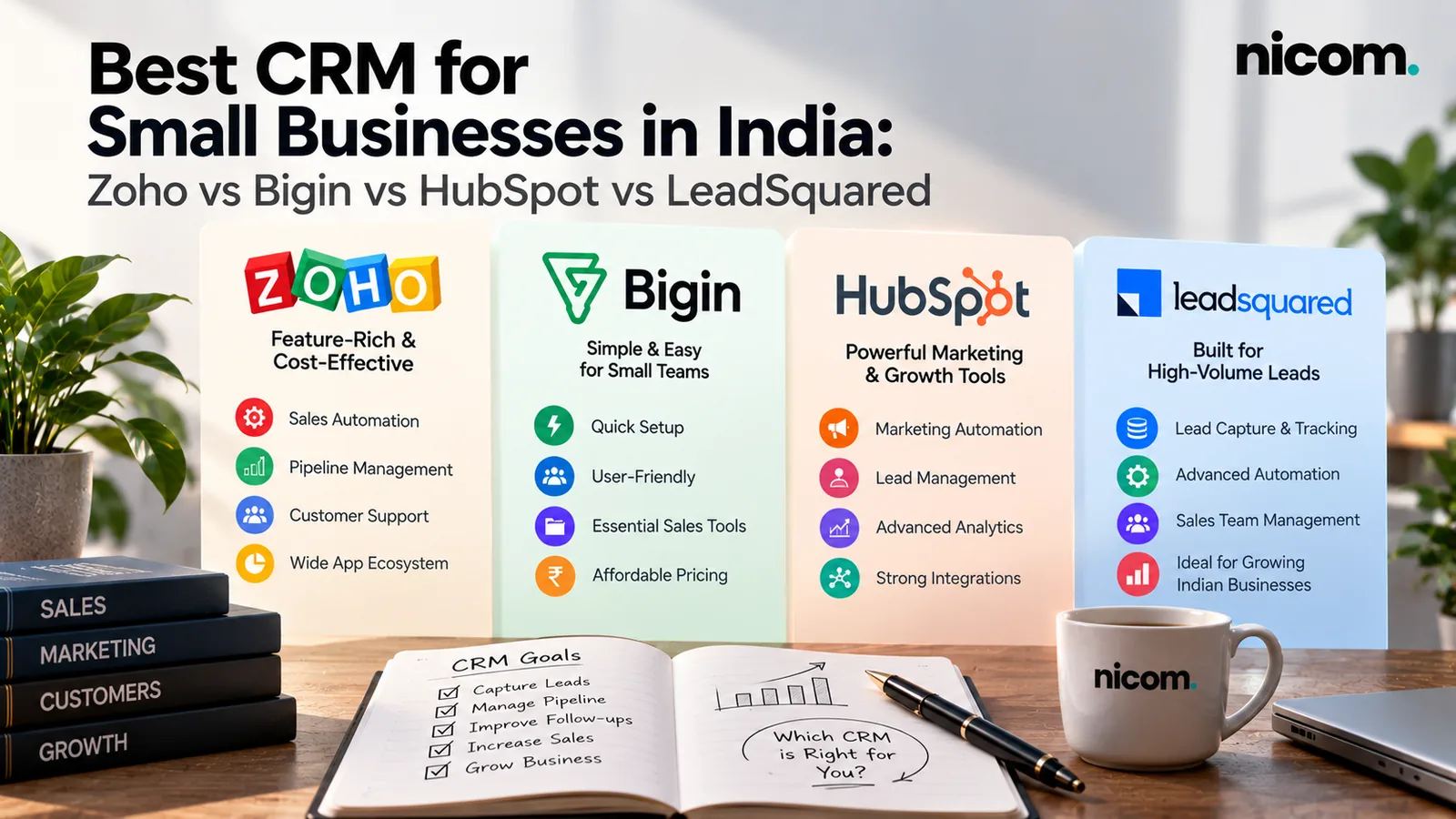
Short answer: for most Indian small businesses that mainly need reliable lead follow-up, a simple pipeline CRM such as Bigin or a mainstream option like Zoho CRM is a sensible starting point. HubSpot suits businesses whose leads come mostly from their website and email marketing, and that want to start on a free plan. LeadSquared is built for high-volume sales teams, such as education, financial services and healthcare, where lead distribution and field or telecalling teams matter. The “best” CRM is the one your team will actually use every day, connected to where your leads come from.
There is no single best CRM for small business owners everywhere. It depends on how you sell. This guide compares the four CRMs Indian businesses ask us about most, explains what to look for, and covers the set-up mistakes that cause most CRM projects to fail.
First: do you actually need a CRM?
You probably do if any of these sound familiar:
- Leads arrive from the website, Facebook, Google Ads, IndiaMART, WhatsApp and phone calls, and nobody has the full list in one place.
- Follow-ups depend on someone’s memory or a notebook.
- When a salesperson leaves, their leads and customer history leave with them.
- You can’t easily answer “how many enquiries did we get last month, and how many became orders?”
If you only get a few enquiries a week and one person handles them all, a well-organised Google Sheet may be enough for now. A CRM pays off when volume, team size or deal complexity grows.
What to look for in a CRM for an Indian SMB
| Requirement | Why it matters |
|---|---|
| Easy lead capture from all sources | Website forms, Meta lead ads, Google Ads, IndiaMART and other portals should flow in automatically, not be typed in |
| WhatsApp integration | Most Indian customers prefer WhatsApp. Check whether integration is native or via a partner, and what it costs |
| Simple pipeline view | Your team should see at a glance which leads need action today |
| Assignment and reminders | Leads should go to the right person automatically, with follow-up tasks |
| Good mobile app | Field sales and owners often work from their phones |
| INR pricing and GST invoices | Simplifies billing and input tax credit |
| Reports you understand | Leads by source, conversion by stage, salesperson performance |
| Room to grow | Automation, quotations, email marketing or integrations with accounting when you need them |
Zoho CRM vs Bigin vs HubSpot vs LeadSquared
All four are established products. The differences are mainly in complexity, target customer and how pricing scales. Always check the current plans and INR pricing on each vendor’s website, because plans and features change often.
Bigin by Zoho
Bigin is Zoho’s simpler CRM, positioned for small businesses. It focuses on pipelines, contacts, follow-ups and basic automation, without the complexity of a full CRM.
- Good fit: teams of a few people who mainly need to track leads through stages and never miss a follow-up.
- Consider: if you expect complex processes, many custom modules or large teams, you may outgrow it and move to Zoho CRM.
Zoho CRM
Zoho CRM is a full-featured CRM from Zoho, an Indian software company, and is widely used by Indian SMBs. It connects well with other Zoho apps (Books, Desk, Campaigns, Forms) if you already use them.
- Good fit: growing businesses with several salespeople, multiple products or territories, and a need for workflow automation and detailed reports.
- Consider: it has a lot of features. Without proper set-up it can feel overwhelming for a small team.
HubSpot CRM
HubSpot offers a free CRM, with paid “Hubs” for marketing, sales and service. It’s known for being easy to use, and is strong when leads come from your website, content and email.
- Good fit: businesses focused on inbound marketing (website, blog, email) that want a clean, simple start.
- Consider: advanced automation and features sit in paid tiers, and costs can rise as you add users and features. Check pricing carefully before committing.
LeadSquared
LeadSquared is an Indian sales CRM built for high-volume lead handling, with strong lead distribution, telecalling and field sales features. It’s popular in sectors such as education, lending, insurance and healthcare.
- Good fit: businesses handling large numbers of leads every day with telecalling or field teams.
- Consider: it’s usually more than a small business with a handful of salespeople needs.
Quick comparison
| Bigin | Zoho CRM | HubSpot | LeadSquared | |
|---|---|---|---|---|
| Complexity | Low | Medium to high | Low to medium | Medium to high |
| Best for | Small teams, simple pipelines | Growing SMBs, multiple teams | Inbound and website-led businesses | High-volume sales teams |
| Free option | Check current plans | Check current plans | Free CRM available | Check current plans |
| Ecosystem | Zoho apps | Zoho apps | HubSpot Hubs | Sales execution tools |
These are general positioning notes based on each vendor’s own description of its product, not a feature-by-feature audit. A short demo or free trial with your real leads is the best test.
How to choose: a five-step process
- Map your current lead journey. Where do leads come from? Who responds? What are the stages from enquiry to order?
- List your must-haves. For example: Meta lead ads integration, WhatsApp, IndiaMART lead sync, mobile app, quotations.
- Shortlist two options and run a trial with real leads for two weeks.
- Involve the people who will use it. If the sales team finds it slow or confusing, adoption will fail.
- Calculate the full cost: per-user licences, add-ons, WhatsApp provider fees, set-up and training.
Set-up matters more than the software
Most failed CRM projects fail because of set-up and adoption, not because the wrong brand was chosen. What a good set-up includes:
- Automatic lead capture from your website, ad platforms and portals, so nobody types leads in by hand. Our integrations work connects these sources.
- Clear stages that match how you actually sell (for example: New, Contacted, Qualified, Quote sent, Negotiation, Won, Lost).
- Assignment rules by product, city or round-robin, with instant alerts.
- Follow-up reminders and simple automation, like an instant WhatsApp or email acknowledgement.
- Lost reasons captured every time, so you learn why deals don’t close.
- A weekly report the owner actually looks at.
- Training and a few weeks of hand-holding until the team is comfortable.
Once lead stages are recorded properly, you can also feed them back into ad platforms to improve lead quality. We explain this in our article on why Facebook lead ads bring fake or junk leads.
Common CRM mistakes
- Buying the most powerful CRM and using 10% of it.
- Importing years of messy data without cleaning it first.
- Too many mandatory fields, so salespeople stop updating records.
- No owner inside the business responsible for the CRM.
- Leaving WhatsApp conversations outside the CRM, so customer history stays incomplete. Our guide to WhatsApp Business API pricing in India covers the costs of connecting WhatsApp properly.
Frequently asked questions
Which CRM is best for a small business in India?
For simple lead follow-up, Bigin or Zoho CRM are common choices. HubSpot suits website-led inbound businesses, and LeadSquared suits high-volume sales teams. Trial two options with your real leads before deciding.
Is there a free CRM for small businesses?
HubSpot offers a free CRM. Other vendors may offer free plans or trials with limits, so check their current pricing pages.
Can a CRM capture leads from IndiaMART and Facebook automatically?
Usually yes, through native integrations, connectors or custom integrations. Confirm this for your specific lead sources before you buy.
How long does CRM set-up take?
A simple pipeline CRM can be set up and in use within a week or two. Larger set-ups with many integrations, custom fields and automations take longer, plus time for training and adoption.
Do I need a CRM if I already use WhatsApp Business?
The WhatsApp Business app is great for conversations but not for tracking pipelines, assigning leads or reporting. A CRM connected to WhatsApp gives you both.
Need help choosing and setting up a CRM?
We’ll look at how your leads come in and how your team sells, recommend a CRM that fits, and set it up so leads flow in automatically. See our CRM and lead management services, or book a free CRM fit call. If WhatsApp is your main sales channel, our WhatsApp automation work connects chats straight into your CRM. You can find more practical guides on our Insights page.