
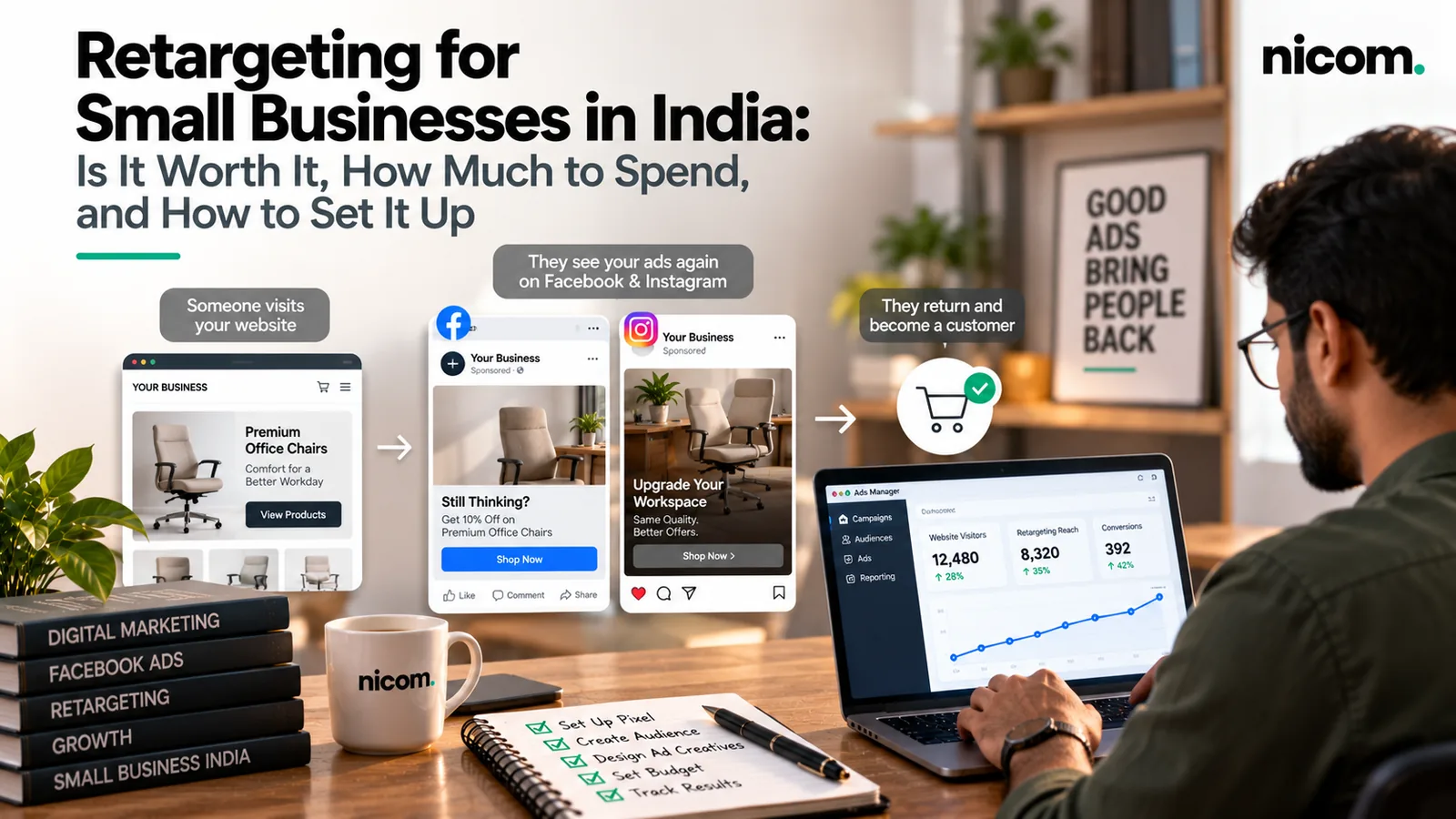
Short answer: retargeting (also called remarketing) shows ads to people who have already visited your website, watched your videos or engaged with your page, but haven’t enquired or bought yet. For a small Indian business it is usually worth doing once you have steady website traffic and a clear next step for visitors. It tends to be one of the more cost-efficient parts of a campaign, because you’re talking to people who already know you. You set it up by installing the Google tag and Meta Pixel, building audiences, and running a small, focused set of ads with frequency limits.
Done well, retargeting for small businesses is affordable and practical. This guide explains how retargeting works, when it’s worth it, how to think about budget and how to set it up without annoying people.
How retargeting works, in plain language
- You add a small piece of tracking code to your website: the Google tag for Google Ads and the Meta Pixel for Facebook and Instagram.
- When someone visits, the platforms can add them to an audience, for example “visited the pricing page in the last 30 days”.
- You show those people specific ads while they browse YouTube, Gmail, other websites, Facebook or Instagram.
- Because they’ve already shown interest, a reminder, testimonial or offer can bring them back to enquire.
Google Ads now calls these “your data” segments. Google also lets you build audiences from your customer lists (Customer Match), YouTube viewers and people who have called your business.
Is retargeting worth it for a small business?
Retargeting works best when these are true:
- You get steady website traffic from SEO, ads, social or offline marketing. Retargeting doesn’t create new visitors. It brings back existing ones.
- Your buying cycle is more than a few minutes. If people compare options, check with family or partners, or need internal approval (very common in B2B), reminders help.
- You have a clear next step: book a call, request a quote, WhatsApp us, complete the purchase.
- Your website converts reasonably well. If the site is slow or confusing, retargeting just sends people back to the same problem. Fix the page first. Our conversion rate optimisation work often starts here.
How much traffic do you need?
Google publishes minimum audience sizes. According to Google Ads Help, website visitor segments need a minimum of 100 active visitors or users within the last 30 days to serve ads on the Display Network, Search Network and YouTube. Google also notes that a new list can take 48 to 72 hours to populate. “Active users” here means people Google can reach with ads, so the number in Google Ads will usually be lower than the visitor count in Google Analytics.
Meeting the minimum lets ads run. In practice, a bigger audience gives the platforms more room to deliver efficiently. If your site gets very little traffic, focus first on bringing in new visitors through SEO or prospecting ads, and install the tags now so the audiences build up in the background.
Retargeting audiences that work well
| Audience | Who’s in it | Message idea |
|---|---|---|
| Visited service or product pages, didn’t enquire | Interested but undecided | Testimonials, case examples, “talk to an expert” |
| Visited pricing or contact page | Close to deciding | Clear offer, quick quote, WhatsApp us |
| Started checkout or form, didn’t finish | Very warm | Reminder, answer common objections, support contact |
| Watched most of a video | Engaged on social or YouTube | Next video in the story, or a direct offer |
| Existing customers (uploaded list) | Already bought | Repeat order, upgrade, referral. Or exclude them from acquisition ads |
| Converted leads | Already enquired | Usually exclude, so you don’t pay to chase people already in your pipeline |
How to think about budget
Retargeting audiences are small, so they usually need a modest share of your total ad budget rather than a large standalone budget. As general guidance from our own campaigns, not a fixed rule:
- Start with a small daily budget per platform and increase only if the ads are delivering enquiries at an acceptable cost.
- Keep retargeting as a supporting slice of your overall spend. Most of the budget still needs to go to bringing in new people, or the retargeting pool dries up.
- Watch frequency. If the same person sees your ad too many times a week, results drop and irritation rises. Use frequency caps where the platform allows.
If your overall budget is limited, decide first whether Google or Meta should be your main acquisition channel. Our comparison of Google Ads vs Meta Ads for lead generation in India can help.
Step-by-step set-up
- Install tracking properly. Add the Google tag and Meta Pixel, ideally through Google Tag Manager, and set up conversion events for form submissions, calls, WhatsApp clicks and purchases.
- Update your privacy policy and cookie notice to explain that you use advertising cookies and tracking.
- Create audiences based on pages visited and time window (for example 7, 30 and 90 days).
- Exclude people who already converted from your “come back” campaigns.
- Write ads for each stage. Someone who only read a blog needs a different message from someone who abandoned a quote form.
- Set frequency caps and short durations. Not everyone needs to be followed for 90 days.
- Review weekly at first: audience size, frequency, cost per enquiry and lead quality.
Creative ideas that work in India
- A short video of the owner or team explaining how you work. Trust matters a lot to Indian buyers.
- Customer testimonials in Hindi or English, depending on your audience.
- “Still deciding?” ads that answer the top three questions people ask before buying.
- For B2B: factory, warehouse or installation footage, certifications and client logos (with permission).
- Simple WhatsApp call-to-action ads (“Chat with us on WhatsApp”). Many Indian customers prefer chatting to filling forms.
Retargeting mistakes to avoid
- Showing the same ad to everyone, regardless of what they looked at.
- No frequency cap, so people see your ad everywhere for weeks.
- Forgetting to exclude existing customers and converted leads.
- Sending people back to the homepage instead of the page they were interested in.
- Judging retargeting by the same cost-per-lead target as cold campaigns. They do different jobs.
- Tracking that fires on every page view as a “conversion”, which makes the reports useless.
Frequently asked questions
What is the difference between retargeting and remarketing?
In everyday use they mean the same thing: showing ads to people who have already interacted with your business. Google Ads now refers to these audiences as “your data” segments.
How many visitors do I need for Google remarketing?
Google Ads Help states a minimum of 100 active visitors or users in the last 30 days for Display, Search and YouTube. Larger audiences generally deliver more consistently.
Is retargeting allowed under privacy rules?
Retargeting relies on cookies and tracking, so be transparent: update your privacy policy, follow each platform’s policies, and avoid sensitive targeting. If you handle personal data at scale, take advice on your obligations under India’s data protection law.
Should I retarget on Google or Meta?
Both can work. Meta suits visual reminders and social proof in the feed. Google covers YouTube, Gmail, display websites and search. Many businesses start with whichever platform already drives most of their traffic.
How long should I retarget someone?
It depends on your buying cycle. Short cycles (food, retail offers) may need days. Considered purchases or B2B deals may justify 30 to 90 days, with fewer impressions spread over time.
Bring back the visitors you’re already paying for
We set up tracking, audiences and stage-wise ads so warm visitors return when they’re ready to decide. Learn more about our retargeting service, which we run alongside Google Ads and Meta Ads campaigns, or ask us for a free pixel and audience check. You can find more practical guides on our Insights page.